

Run Your Service Routes Without the Chaos
One system for daily routes, work orders, customer management, photo documentation, reporting, and team accountability.
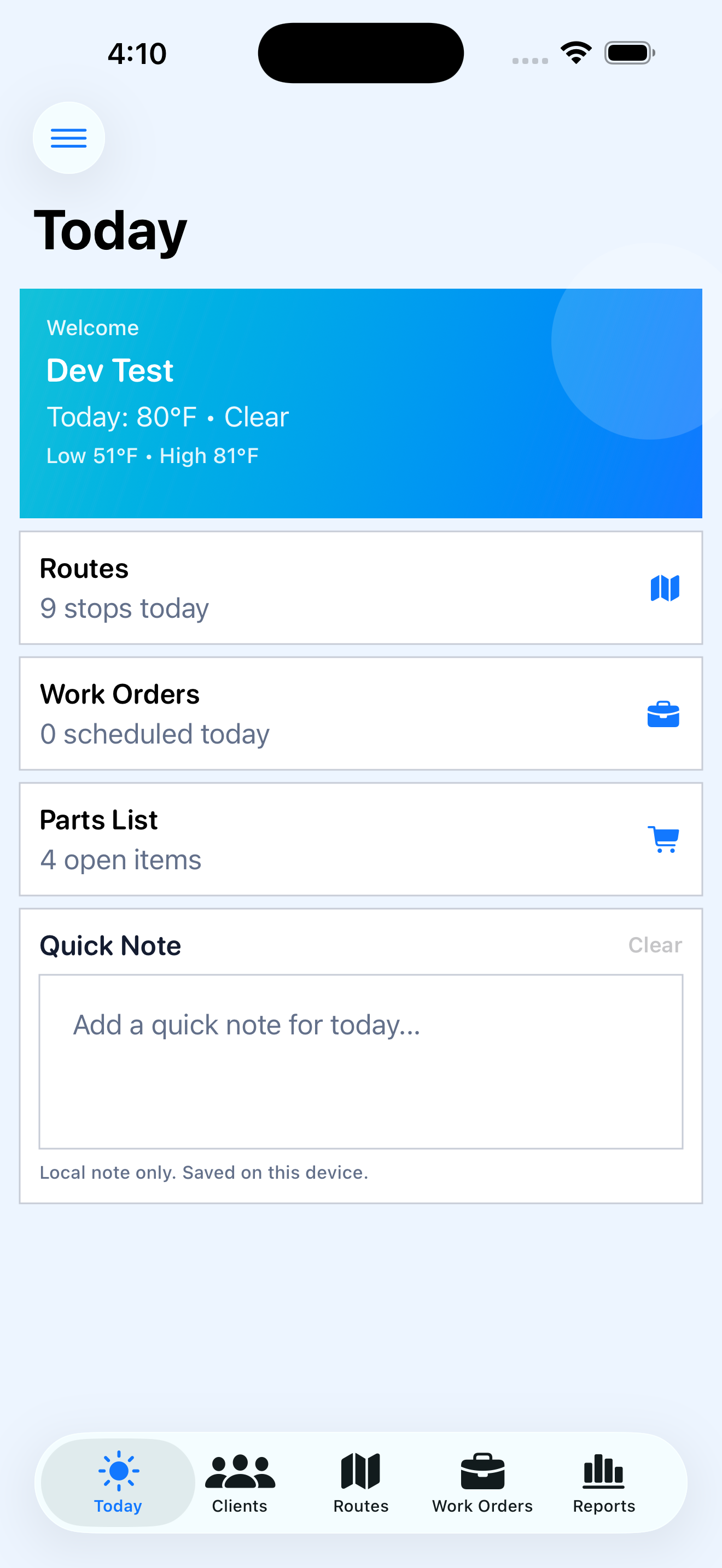
Everything your team needs to run daily service operations
Stop juggling texts, spreadsheets, and memory. Plan the day, complete stops, document work, and send clear reporting.
Smart Route Management
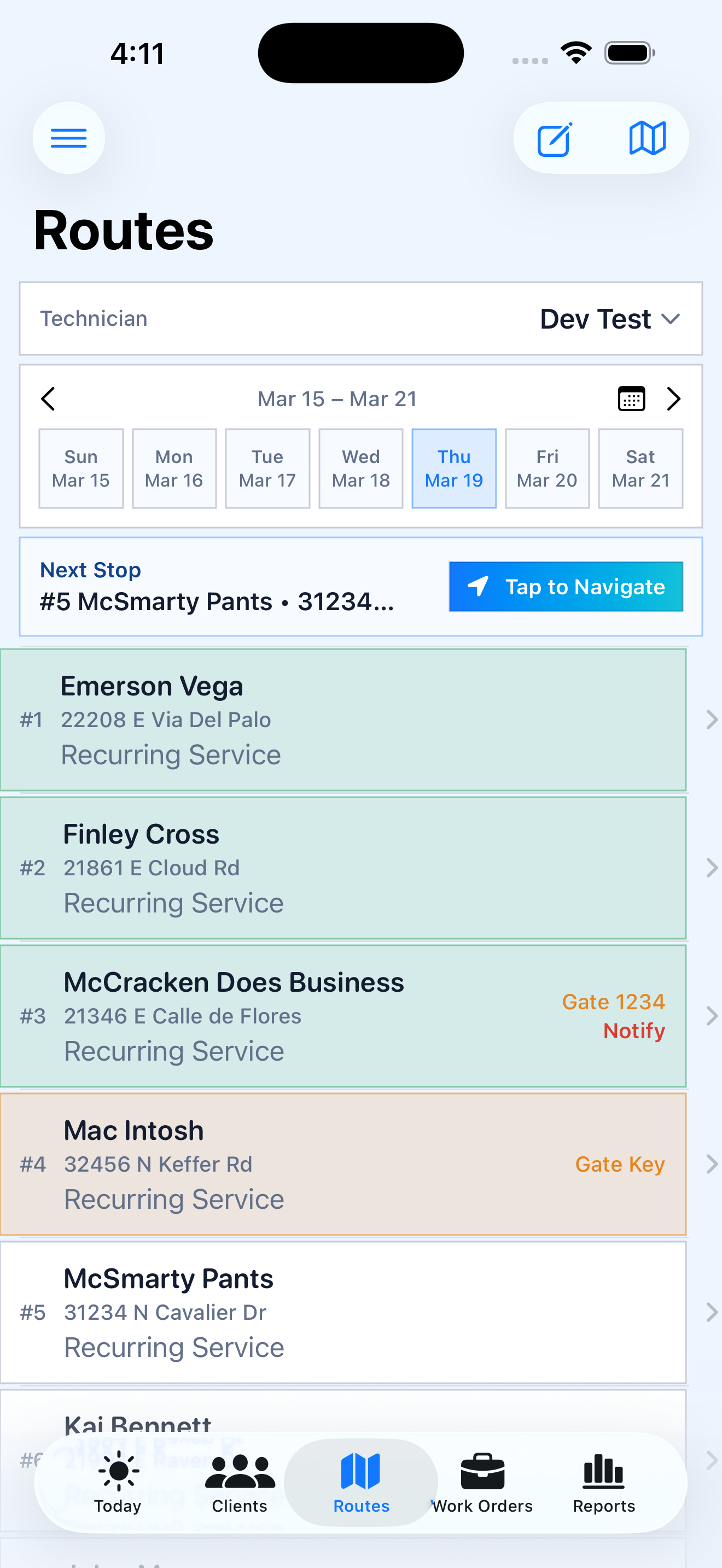
Build routes by technician and service day. The field team starts every morning with a clear plan.
Route Stop Workflow
Capture checklist actions, readings, dosing, notes, and photos inside the route workflow at each stop.
Work Orders
Create, assign, and complete maintenance and repair work orders without losing customer context.
Maintenance Reminders
Track filter cleans, salt cell cleanings, and custom reminders so nothing falls through the cracks.
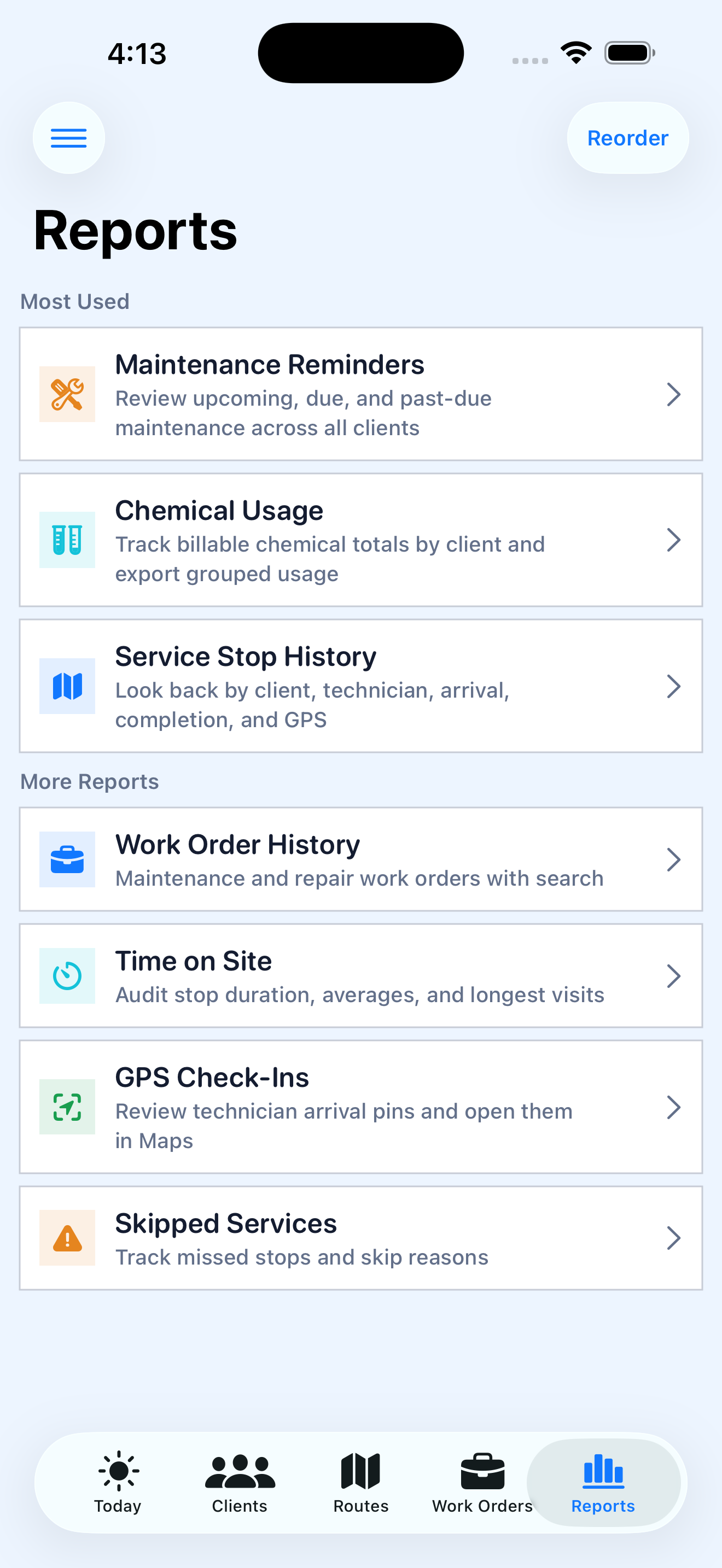
Reporting & Exports
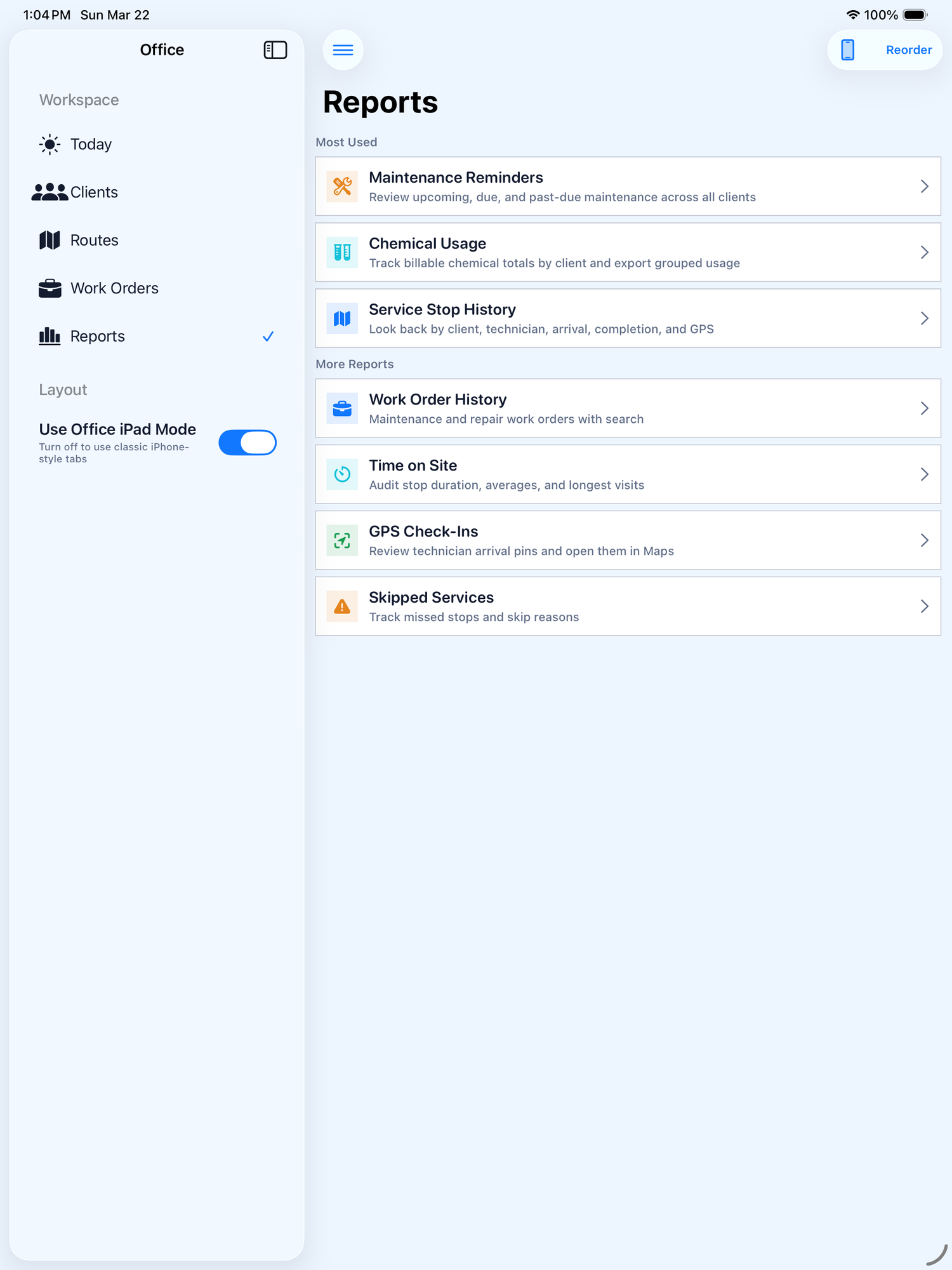
Service history, chemical usage, GPS check-ins, time on site, and exportable reports all in one place.
Team Visibility
See route progress, completion status, and technician accountability at a glance throughout the day.
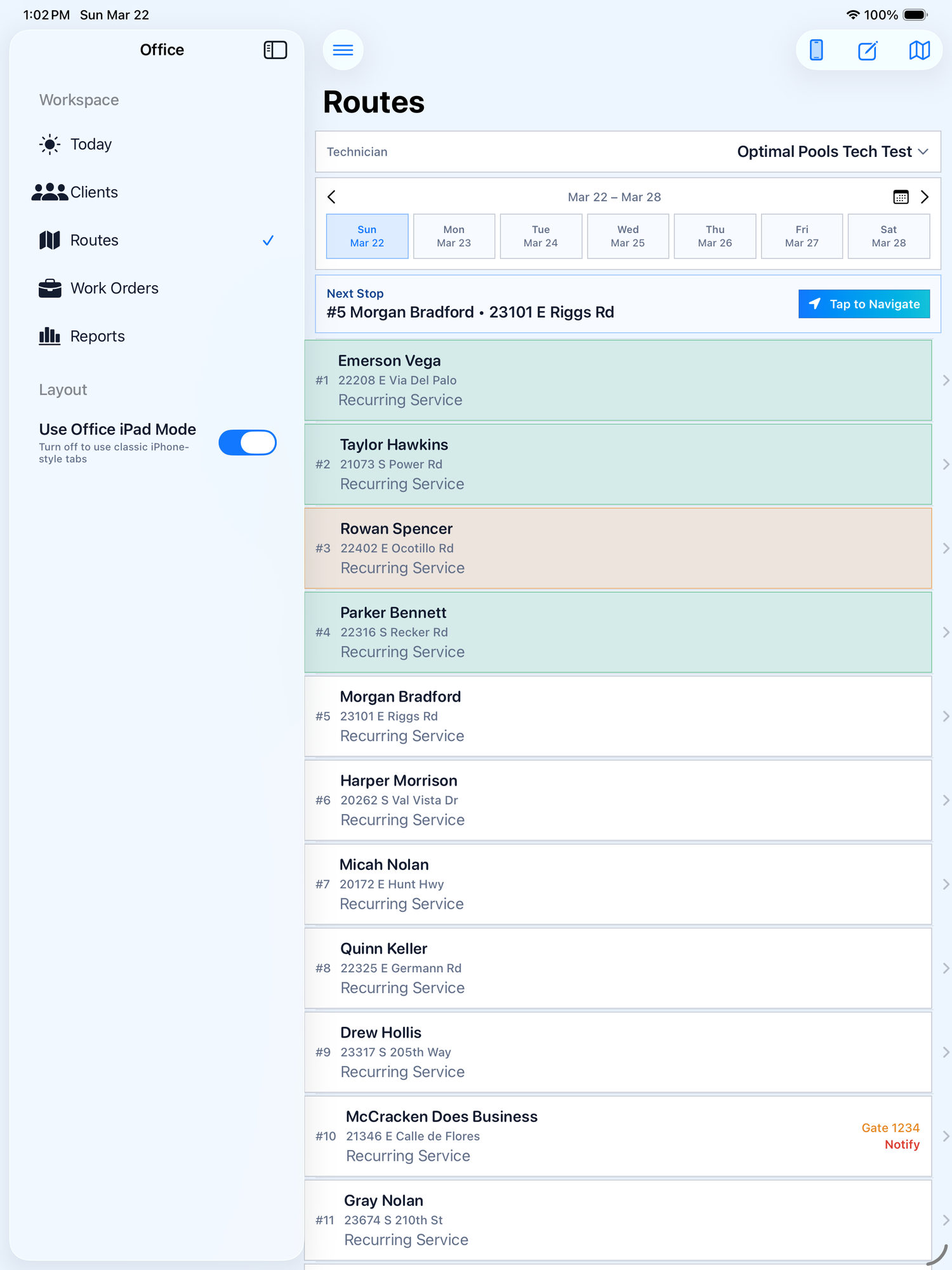
See your day. Hit every stop. Navigate fast.
Technicians open the app and know exactly where to go. Routes are organized by day, stops are numbered, and one tap opens navigation.
- Weekly calendar view with route stops per day
- Tap to Navigate to the next stop instantly
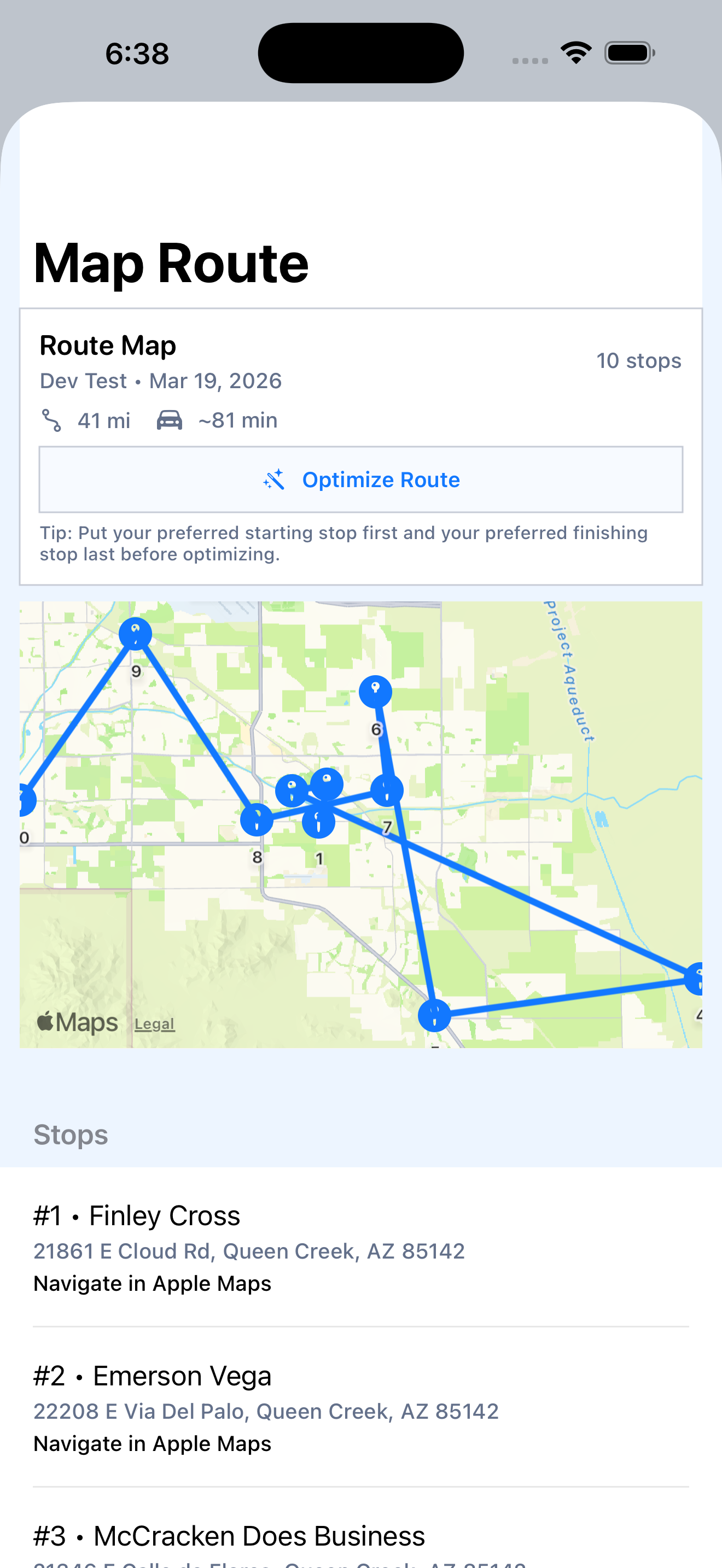
- Route map with optimization and mileage estimates
- Gate codes and client alerts visible on the route card
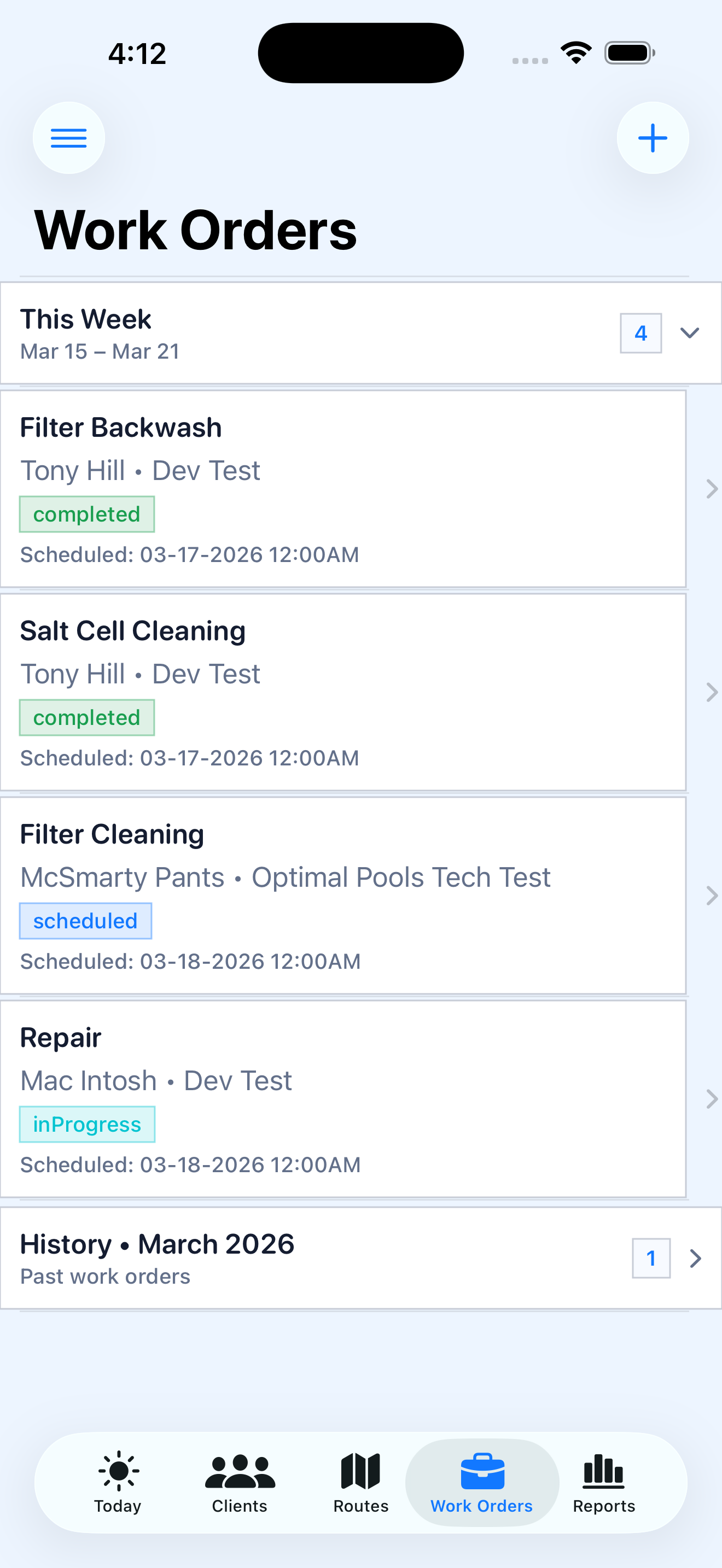
Manage one-off jobs alongside recurring routes
Filter backwash, repairs, salt cell cleanings — track every work order with status, scheduling, and full client context.
- Scheduled, in-progress, and completed status tracking
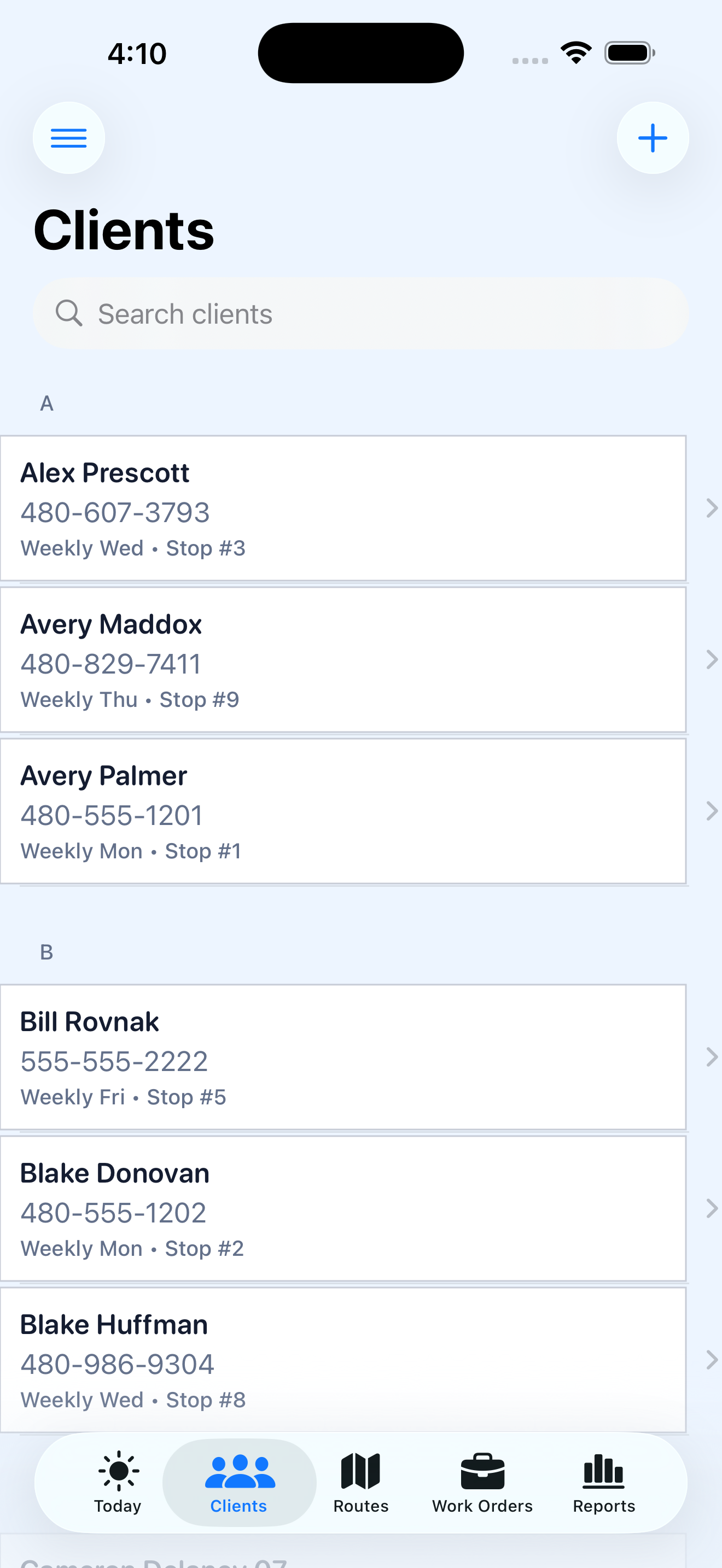
- Searchable client directory with contact details
- Service recurrence and technician assignments per client
- Work order history by month for easy reference
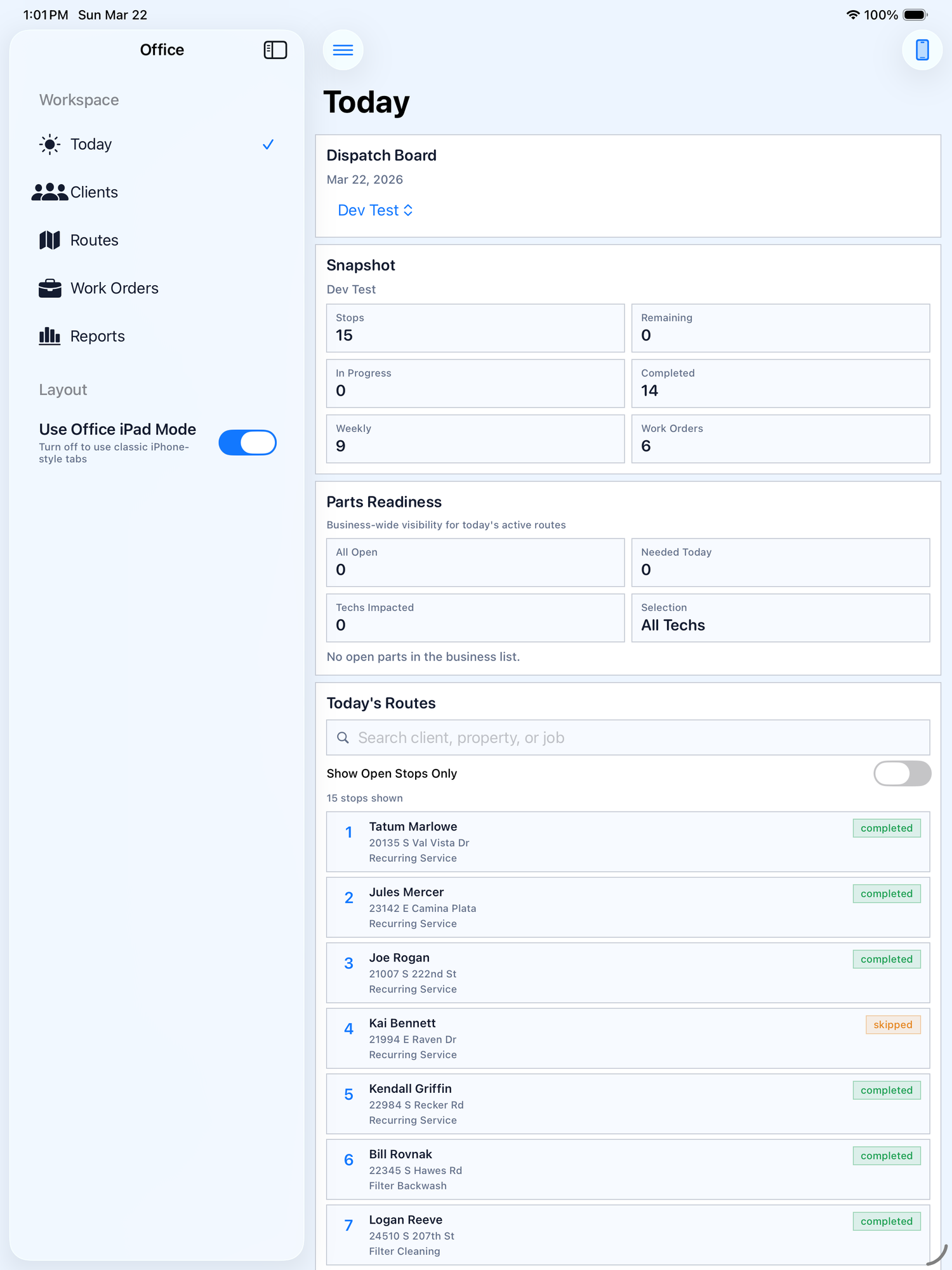
Your dispatch board, built for the big screen
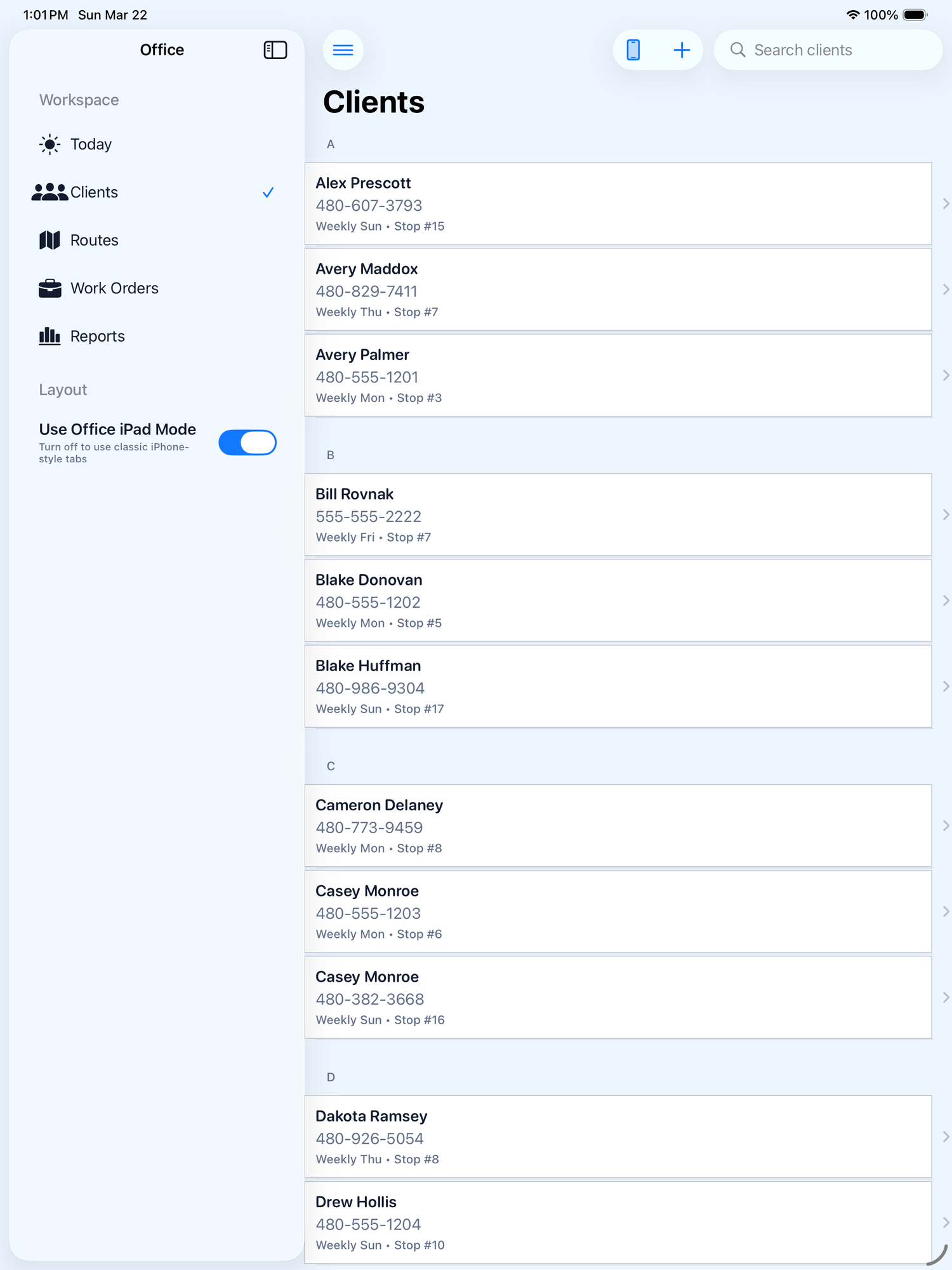
iPad Office Mode gives managers a full dashboard view — today's snapshot, route progress, client lists, and reporting all in a sidebar-driven layout.
Chemical readings, trends, and full coverage visibility
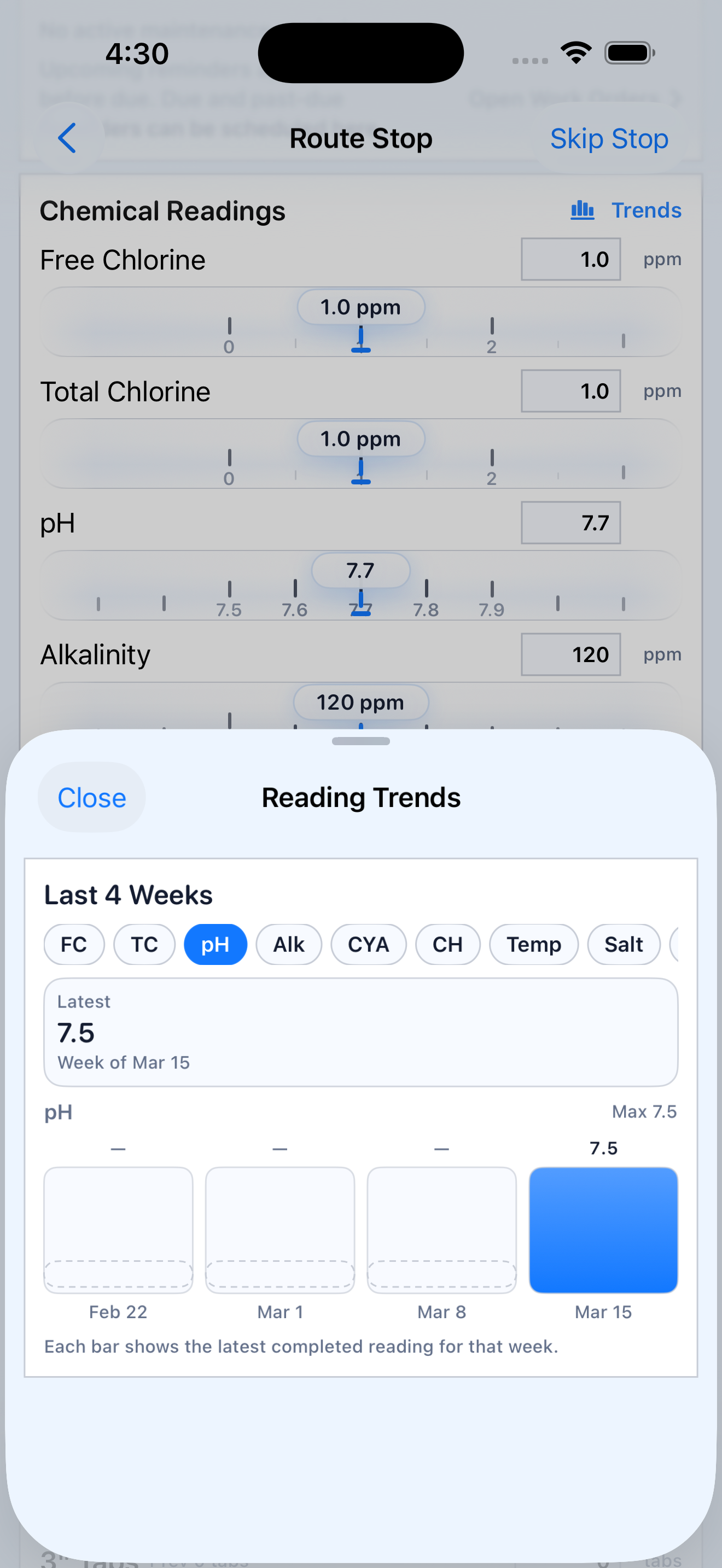
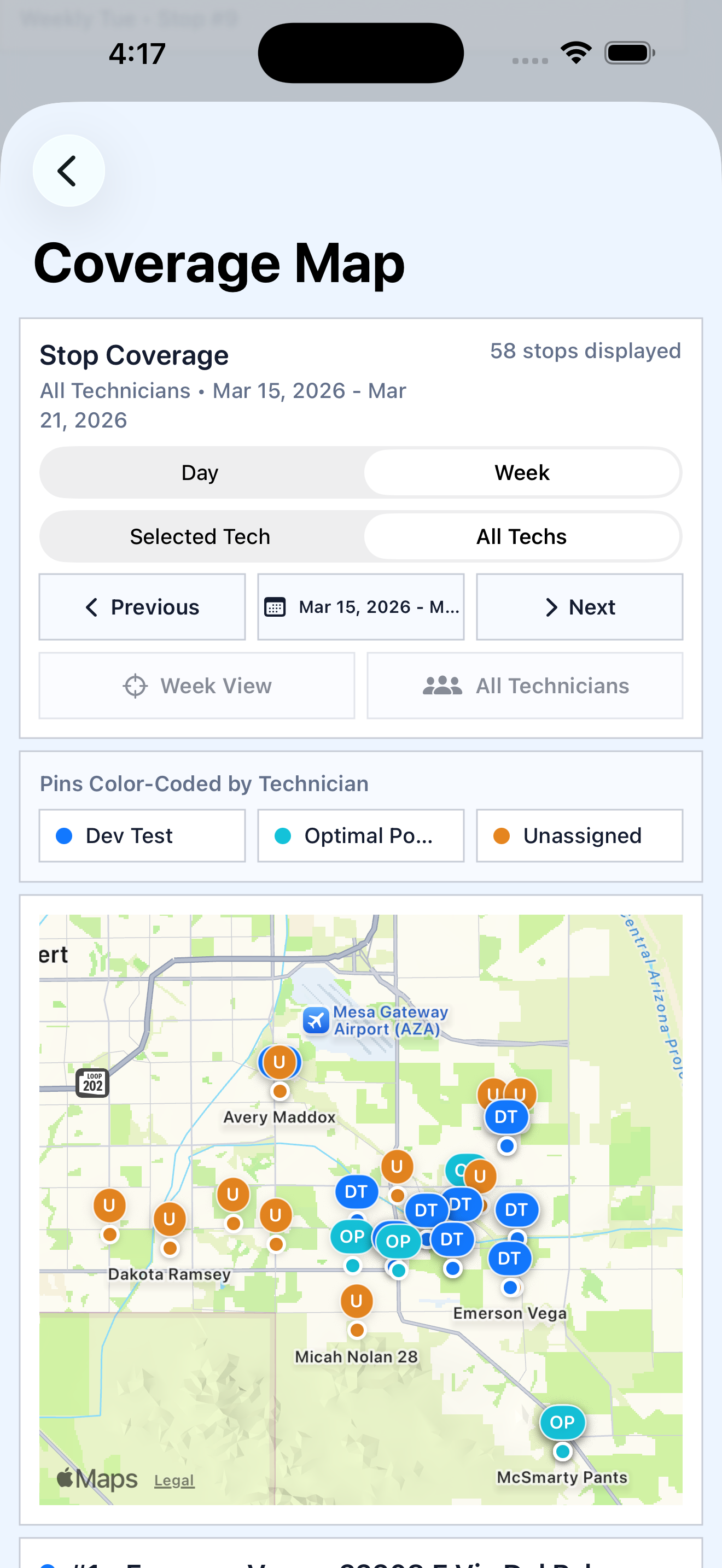
Log readings at every stop with visual sliders and see weekly trends over time. Coverage maps show every technician's stops color-coded across your entire service area.
- pH, chlorine, alkalinity, CYA, and more with range indicators
- 4-week reading trend charts per client
- Coverage map with pins color-coded by technician
- Filter by day, week, or technician
Tools that keep the whole operation running
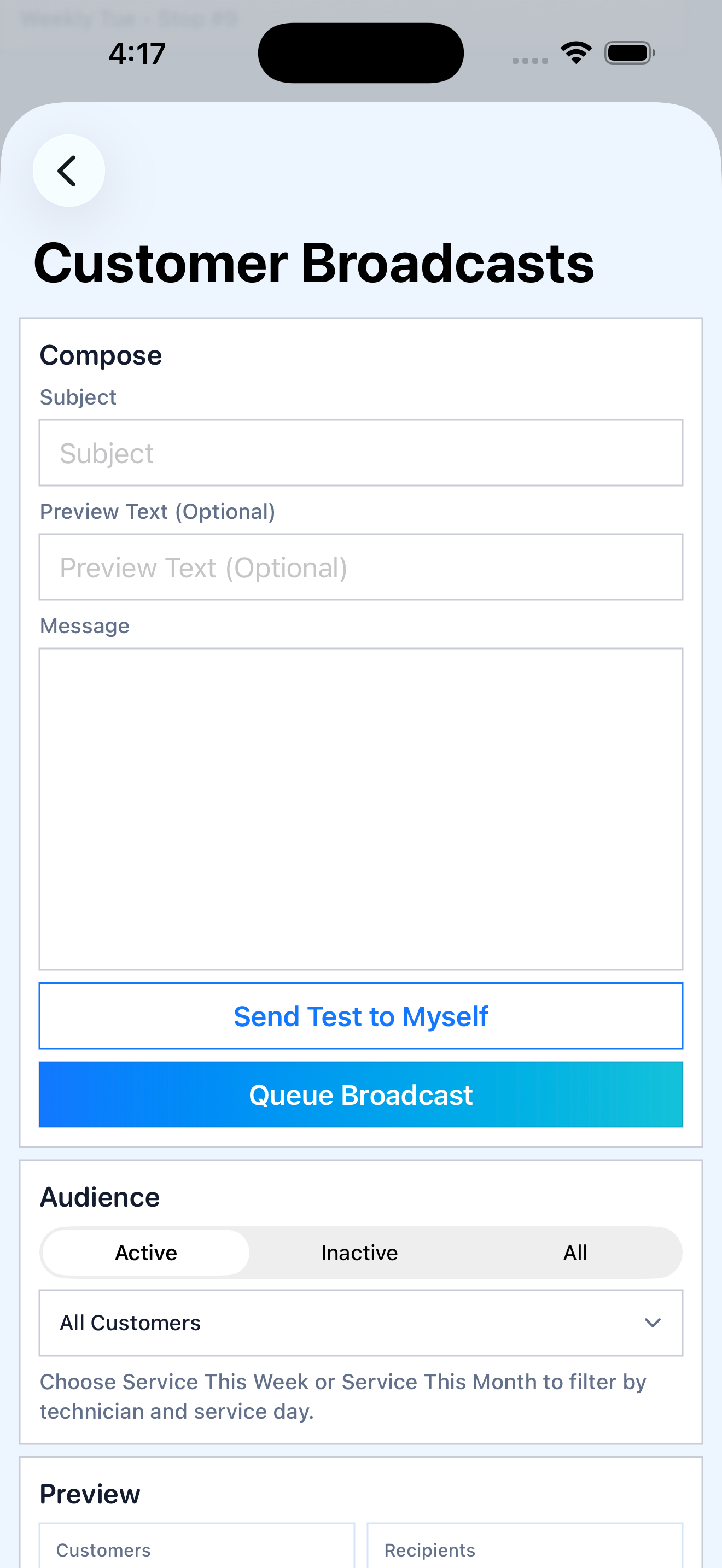
Customer Broadcasts
Send email updates to all customers or filter by service day, technician, or active status.
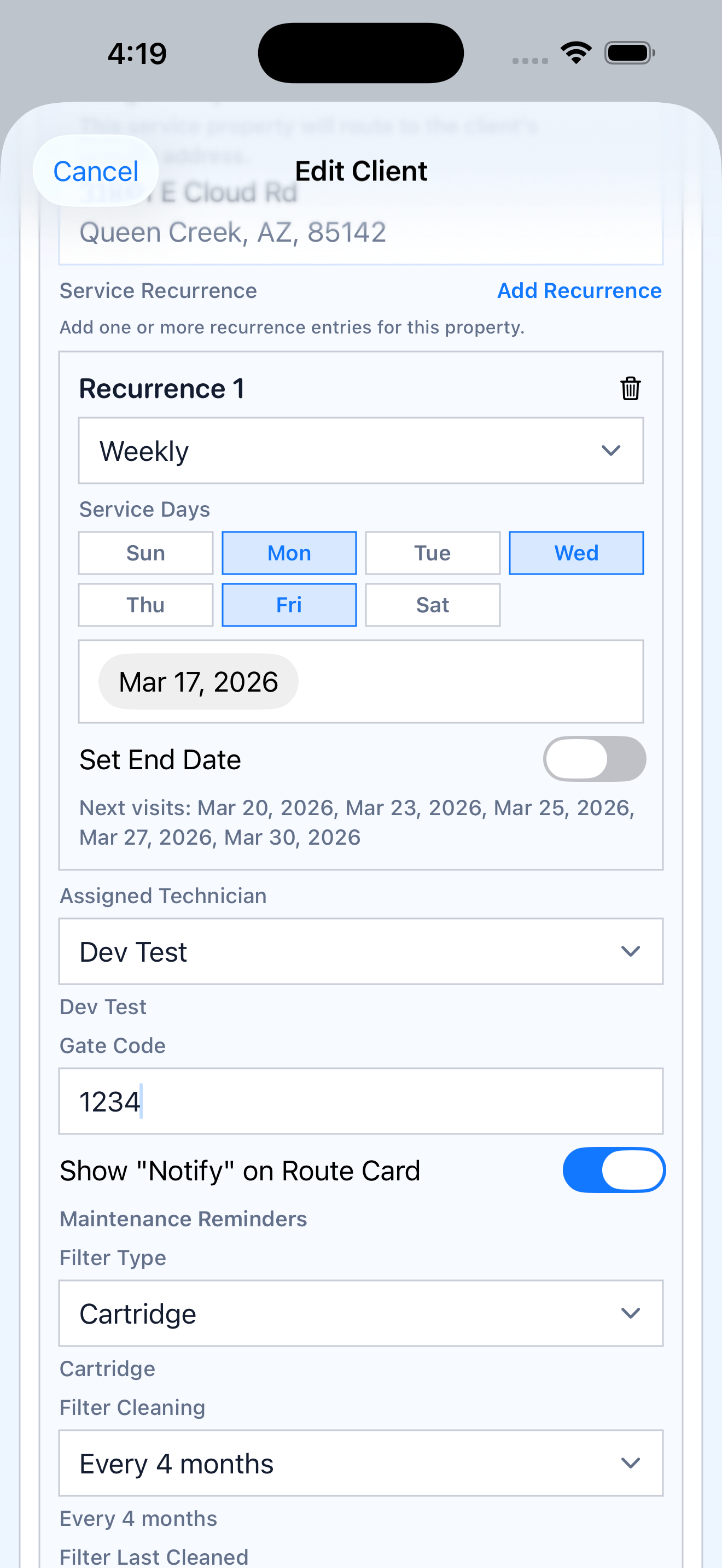
Route Assignment
Set recurrence, assign technicians, manage gate codes, and configure maintenance reminders per client.
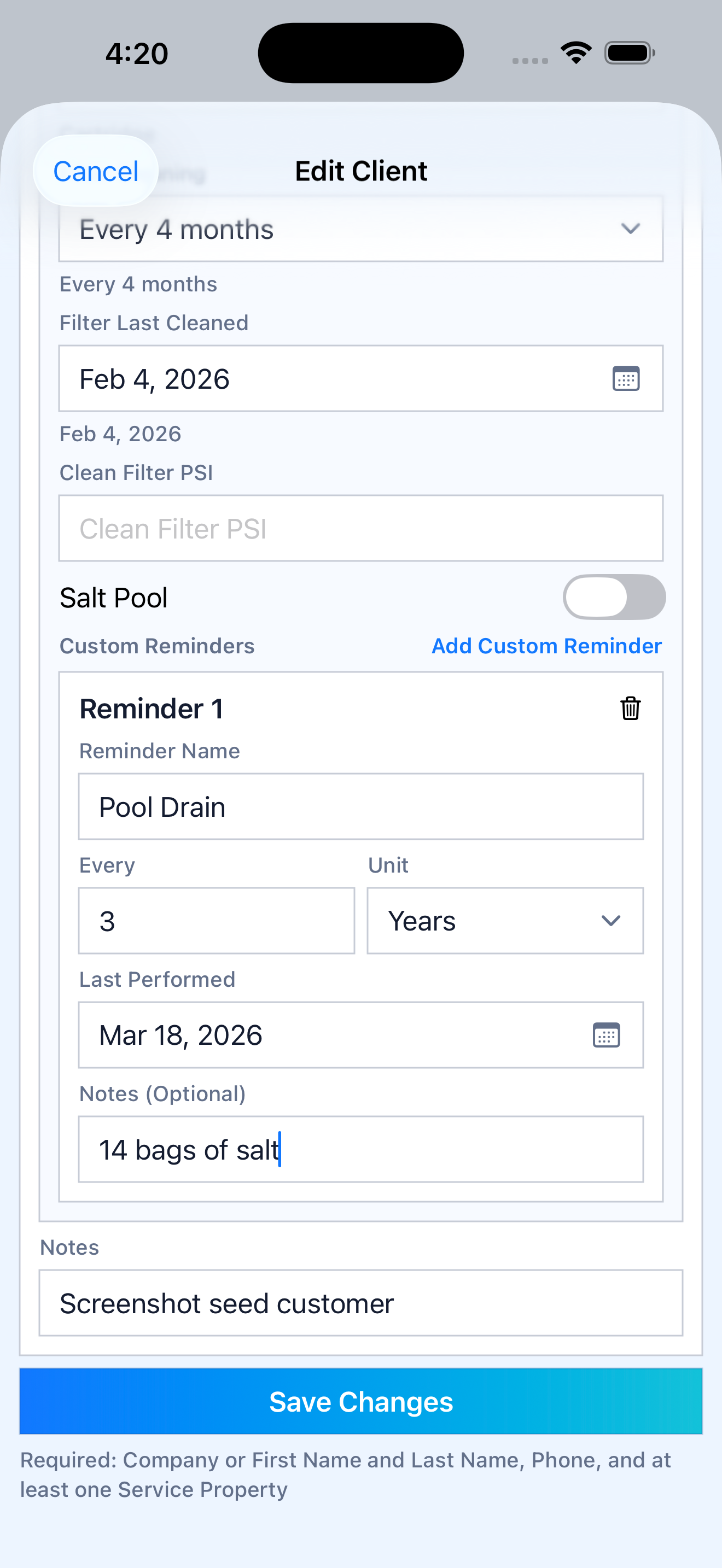
Custom Reminders
Pool drains, equipment checks, or anything on a custom schedule — never let maintenance slip.
Less friction. More accountability. Better days.
Faster daily route execution
Keep the route moving with clearer daily structure and fewer missed details. Technicians know where to go and what comes next.
Cleaner handoffs between office and field
Admins, managers, and techs stay aligned inside one operating system — no more texts and spreadsheets.
Better documentation and photo history
Make service work easier to verify, review, and explain later. Every stop is documented with notes and photos.
Reduced missed work and follow-up confusion
Keep accountability visible without adding extra admin friction. Skipped services and open items stay on the radar.
Ready to run your routes the right way?
Join the service companies already using Service Hopper to manage their daily operations. Available on iPhone, iPad, and Android.